
Register with Our Parish

We're so happy that you have chosen to join our faith family!

To help us stay connected with our members, the Diocese of Richmond uses a cloud-based church management system built specifically for the Catholic Church, called Camino (a product of diocesan.com).  This system allows parish and diocesan staff to manage sacramental records, parishioner directories, religious education, and financial donations from one centralized platform.


If you prefer to use a paper registration form, you can pick one up from the table in the Commons or contact the OLPH Office to have one mailed to you.


To register with our parish (or to update your contact information or review your donations), you can use the button below to create an account (or log into an existing account) with Camino Life.  If you choose to register or make changes, the parish office will be automatically notified.


Below the button, you can find some screenshots to assist you in the registration process.
Go to Camino Life

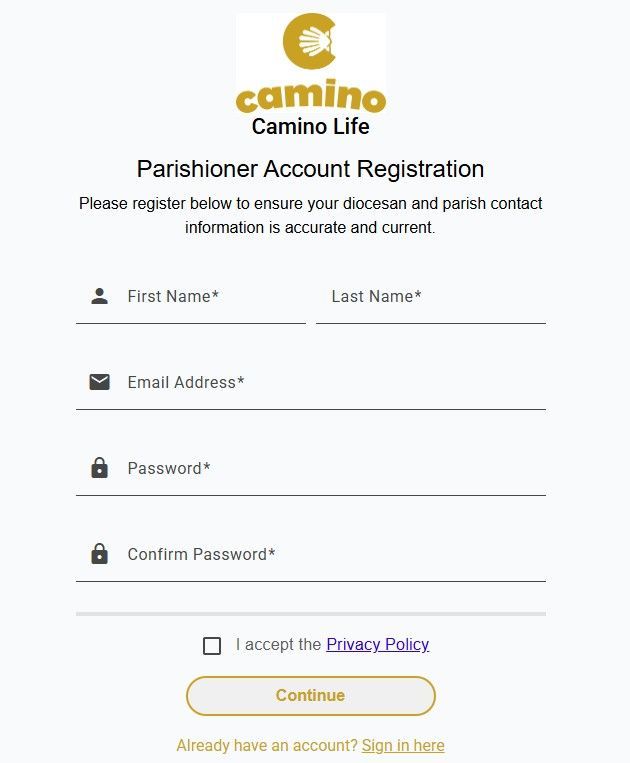
Step 1:  Create an Account with Camino Life


If you are new to Camino Life:


  • Enter your first and last names, followed by your email address. 
  • You will then need to create a password and re-enter it.
  • Click the checkbox to accept the Privacy Policy.
  • Click Continue. 
  • After doing so, you will receive a confirmation code at the email address you entered.  You will need this code in Step 2.


If you have an existing account with Camino Life, choose the Sign In Here link found below the Continue button.  Then go to Step 3.

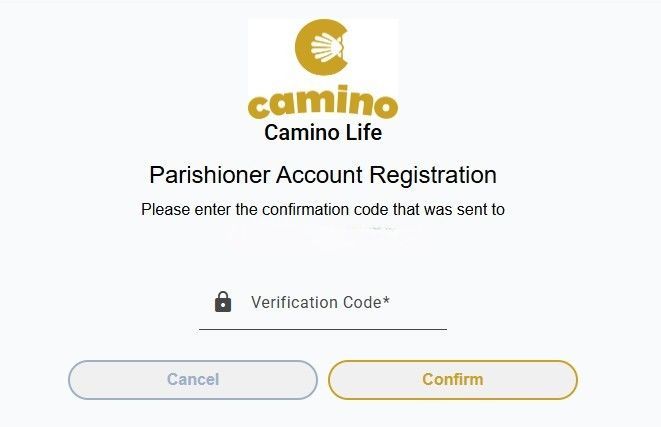
Step 2:  Verify Your Email Address


  • Enter the verification code that was sent to the email address you provided in Step 1.
  • Click Confirm.


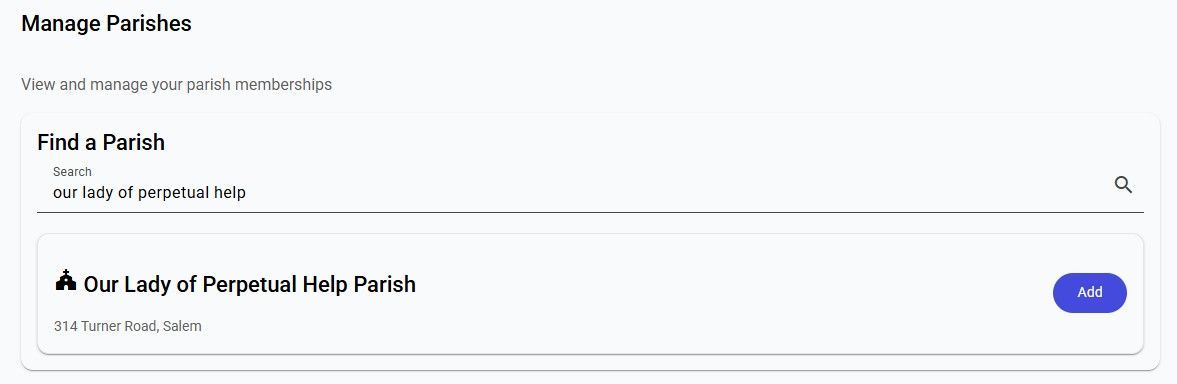
Step 3:  Search for Our Parish


  • In the Find a Parish area, search for Our Lady of Perpetual Help.
  • It will automatically find our location (314 Turner Road, Salem).
  • Click the Add button.

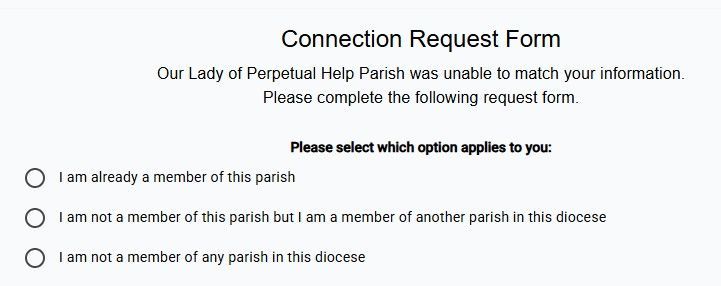
Step 4:  Update, Transfer, or Enter Your Registration Info


  • 1st Option: If you are already a member of our parish, select this option to view/update your information.
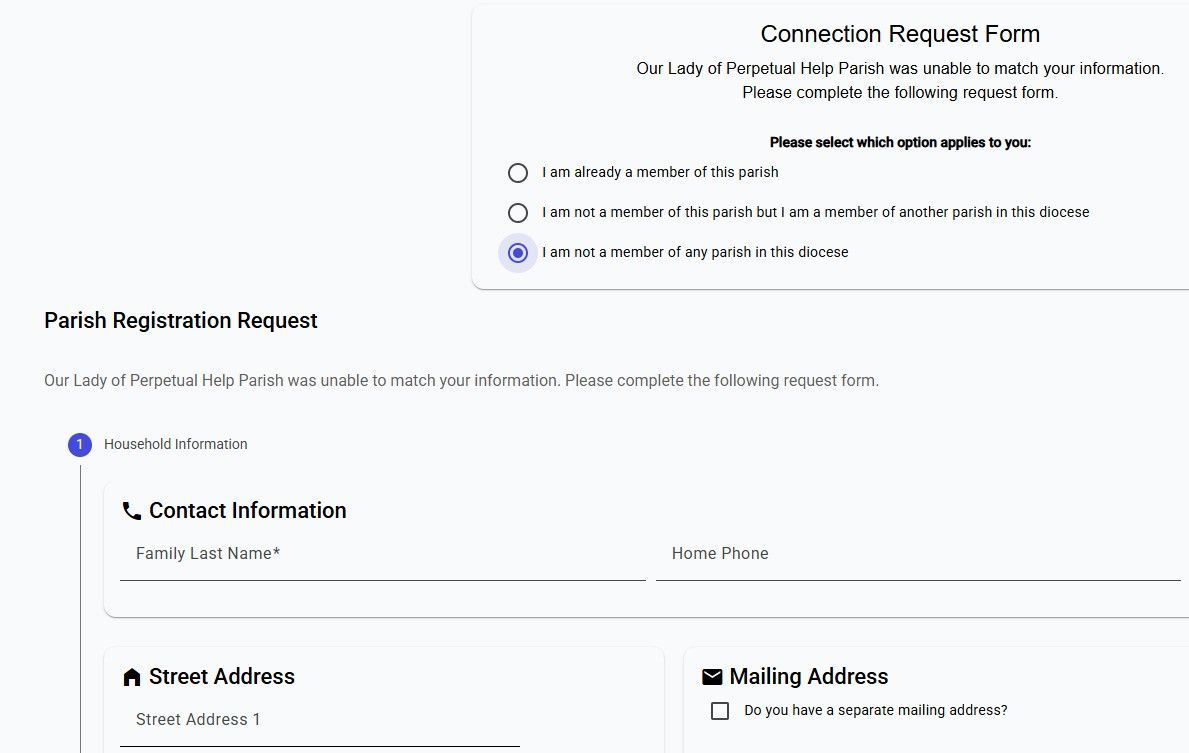
  • 2nd Option: If you are currently registered at another parish in our diocese, select this option to have your membership transferred to OLPH.  A screenshot below shows the next steps.
  • 3rd Option: If you are not a member of any parish in our diocese, click this option to enter your information for the first time. A screenshot below shows the next steps.

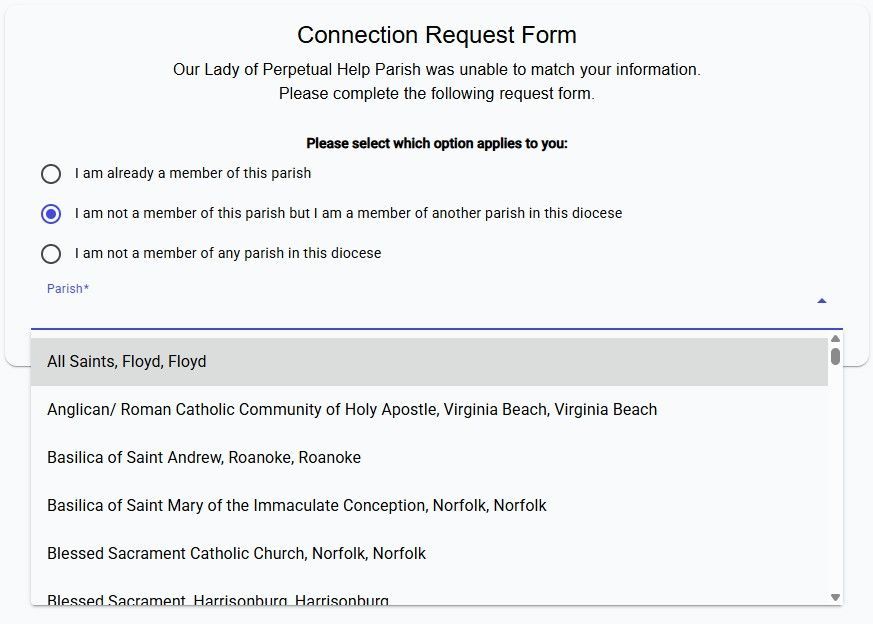
Step 4: Option 2

If you selected Option 2 above, you will be able to search for the parish you are currently registered in, so that your information will transfer to OLPH.


Step 4: Option 3

If you selected Option 3 above, you will enter the contact information for each member of your household, including dates for sacraments (if appropriate).


After you have entered your registration information, click Submit and your information will be sent to us automatically.  We can't wait to get connected and learn more about you!